

🚀 Automate Anything Without Coding: How to Use n8n to Build AI-Powered Workflows
Have you ever wished you could automate your boring, repetitive tasks without writing a single line of code?
Good news—you absolutely can.
With a tool called n8n, you can connect your favorite apps, services, and even AI models into powerful, customized workflows—all without coding. Think of n8n as the Swiss Army knife of automation: flexible, open-source, and infinitely powerful.
In this post, we’ll explore:
- What n8n is and why it’s different from other automation tools
- How it can transform your work (and your productivity)
- A step-by-step project where we’ll build an AI-Powered Email Notifier that takes raw data, summarizes it with AI, and emails it automatically
By the end, you’ll not only understand how n8n works—you’ll also be ready to build your own automation superpowers.
🌟 Part 1: What Exactly Is n8n?
Let’s be real—repetitive tasks are productivity killers. Whether it’s copy-pasting from one app to another, sending routine emails, or updating multiple platforms with the same content, these tasks eat away at your focus and creativity.
That’s where n8n (pronounced “n-eight-n”) comes in. The name is short for nodemation (nodes + automation), and it’s one of the most versatile no-code automation platforms out there.
Unlike tools such as Zapier or Make (formerly Integromat), which limit your workflow executions or hide advanced features behind premium plans, n8n is open-source and free to self-host. You can install it on your own machine or server, and have complete control over your workflows—no restrictions, no vendor lock-in.
Here’s what makes n8n special:
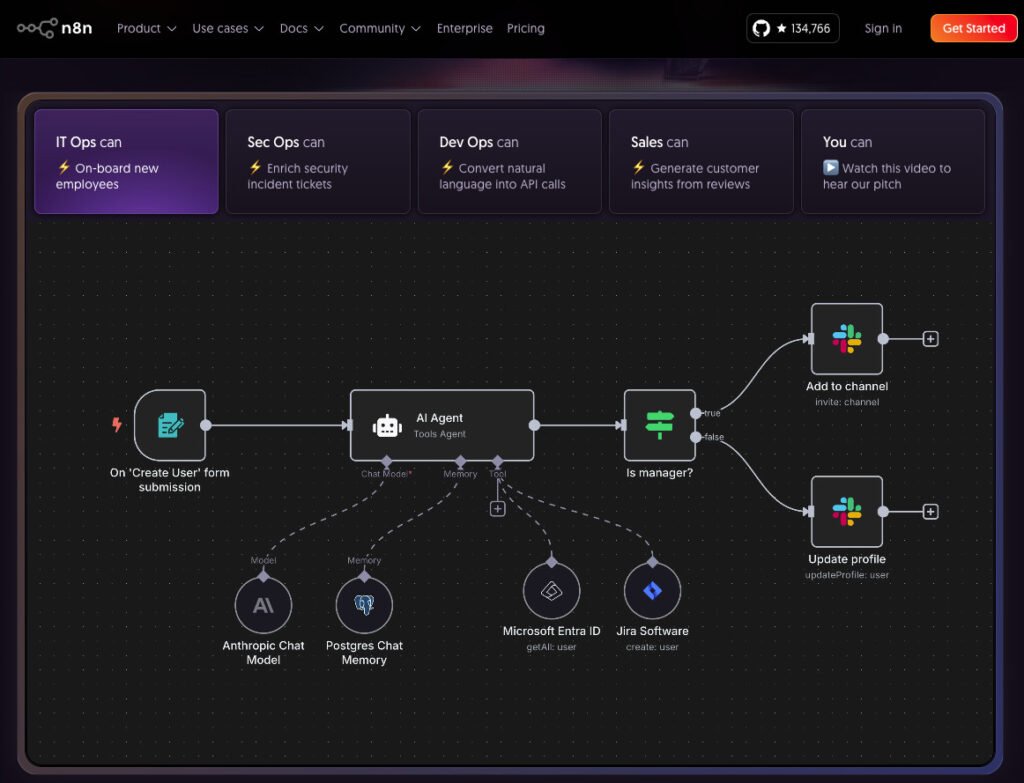
- Drag-and-drop workflow builder → Build automation visually with “nodes” that represent apps, logic, or AI.
- 350+ integrations → Connect Google Sheets, Notion, Gmail, OpenAI, Slack, databases, APIs, and more.
- Run anywhere → Self-host it, run it on Docker, or use the n8n cloud version.
- Customizable → Developers can extend it with code, but non-coders can do almost everything visually.
It’s automation without limits.
⚡ Part 2: Why Does n8n Matter?
The impact of automation tools like n8n is bigger than just saving time—it’s about scaling yourself.
When you automate, you stop being the bottleneck. Instead, you become the orchestrator of your own digital ecosystem.
Here’s how n8n changes the game:
1. No Pricing Walls
Zapier gives you a set number of tasks per month, and when you run out, you pay more. With n8n self-hosted, you don’t hit artificial limits.
2. Privacy and Control
Run n8n on your own server, and your data stays your data. This is a big deal for businesses handling sensitive information.
3. AI-Native Automations
With built-in support for APIs like OpenAI and the ability to connect to local models (e.g., Ollama), n8n brings AI directly into your workflows.
Imagine these real-world scenarios:
- For Content Creators:
- Take your latest blog post → Use AI to generate a summary → Auto-post on social media → Send it to your email subscribers.
- For Sales Teams:
- Capture new leads from a form → Enrich the data with AI → Update CRM instantly → Notify sales reps in Slack.
- For Everyday Productivity:
- Stop copy-pasting. Automate file organization, reminders, data entry, and reporting.
The possibilities aren’t just endless—they’re exciting.

🛠️ Part 3: Build a Simple Project — AI-Powered Email Notifier
Now, let’s roll up our sleeves and build something practical.
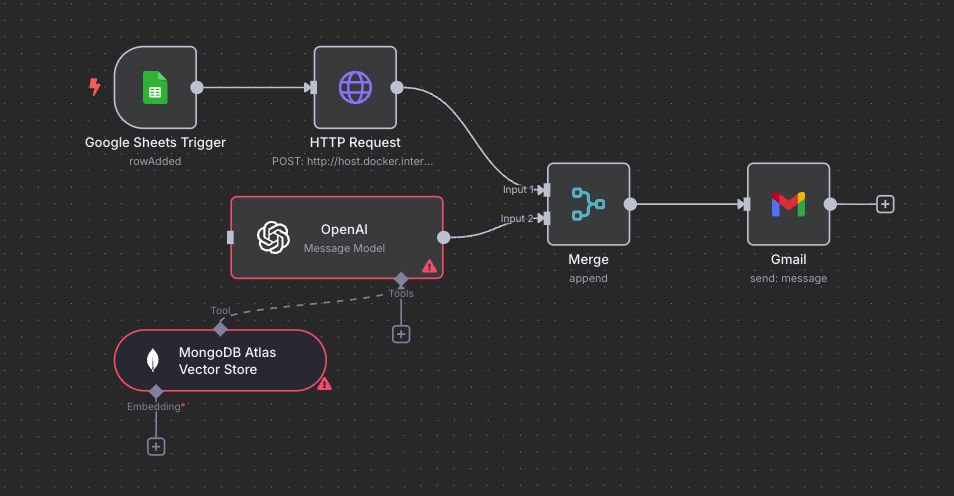
We’ll create a workflow that:
- Watches a Google Sheet for new rows.
- Summarizes the data in that row using AI (OpenAI or Ollama).
- Sends an email notification with the summary.
It’s like having a mini AI assistant that runs in the background—no coding required.
✅ What You’ll Need
- n8n account → Either cloud ($20/month) or self-hosted (free).
- Google Sheet with some sample data (e.g., tasks, notes, descriptions).
- Gmail account (or any SMTP email setup).
- OpenAI API key OR local Ollama setup.
🔗 Step 1: Create the Workflow
- Start n8n
- If you are using cloud, login to the account.
- If you are using docker you can use something similar to this command.
- docker run -it –rm –name n8n -p 5678:5678 -v n8n_data:/home/node/.n8n docker.n8n.io/n8nio/n8n
- Open n8n.
- Create a new workflow.
We’ll start by adding our first node—a Google Sheets Trigger.
📊 Step 2: Add Google Sheets Trigger
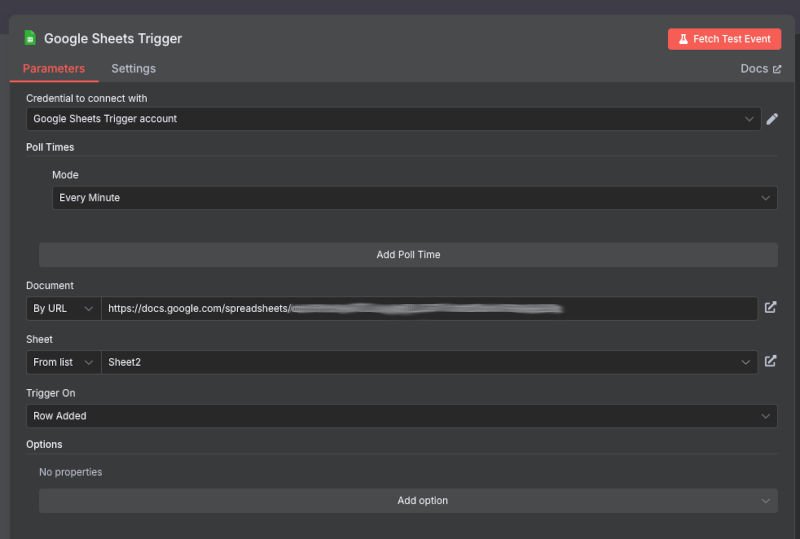
- Drag in a Google Sheets Trigger node.
- Set Trigger Event → Row Added.
- Connect your Google Account via OAuth2.
- Choose the correct spreadsheet and sheet.
🔑 Step 3: Set Up Google Credentials
To connect Google Sheets, you’ll need credentials:
- Go to Google Cloud Console → Create or select a project.
- Enable APIs:
- Google Sheets API
- Google Drive API
- Gmail API
- Go to APIs & Services → Credentials → Create OAuth Client ID.
- Select Web Application → Add the redirect URL from n8n.
- Copy the Client ID and Client Secret back into n8n.
- Add yourself as a Test User under OAuth consent screen. (until the app is published only test users can access it.)
🤖 Step 4: Add AI Summarizer
Now let’s use AI to process the sheet data.
Option 1: OpenAI Node
- Add the OpenAI node in n8n.
- Choose GPT-4 or GPT-3.5 for text summarization.
- Prompt: “Summarize the description column in 2 sentences.”
Option 2: Ollama Local Setup
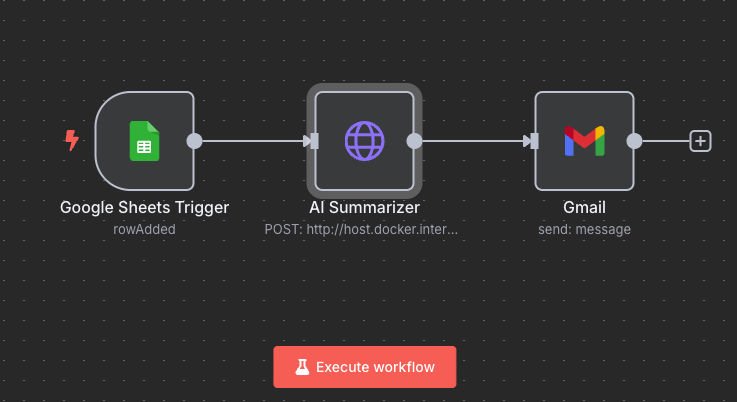
- Add an HTTP Request node.
- Send a POST request to your Ollama local endpoint.
- JSON body:
{ "model": "llama3.2", "prompt": "Summarize the description column." }
📧 Step 5: Add Gmail Node
- Drag in a Gmail node.
- Create Gmail credentials (similar to Google Sheets setup).
- Set:
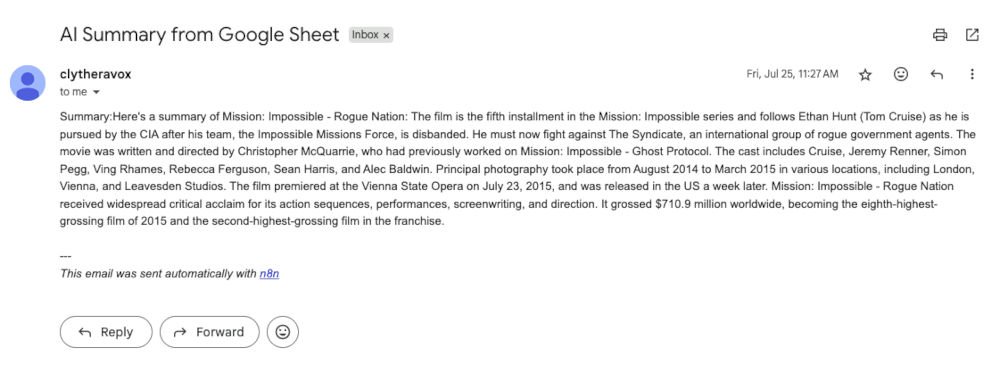
- Subject: “AI Summary from Google Sheet”
- Message: Insert AI output from the previous node
- Recipient: Your email
🚦 Step 6: Activate and Test
- Turn on the workflow.
- Add a new row in Google Sheets.
- Watch as n8n:
- Triggers the AI summarizer
- Sends you an email with the summary
Congratulations—you’ve just built your first AI-powered automation in n8n!
🌍 Beyond the Basics: What Else Can You Automate?
Once you’ve built one workflow, ideas will start pouring in. Some advanced automations you can try:
- Automated Content Repurposing: Convert a long article into tweets, LinkedIn posts, and email summaries automatically.
- AI-Powered Customer Support: Collect messages from multiple channels, summarize them with AI, and log them into a support system.
- Smart Daily Briefings: Pull news via RSS feeds, summarize with AI, and email yourself a daily digest.
- Project Management Automations: Add tasks in Trello or Notion when new rows appear in Sheets or when AI detects specific keywords.
The magic of n8n is that it’s not limited to one domain. Whether you’re a student, professional, or entrepreneur, it can fit into your workflow.

🎯 Final Thoughts
Automation isn’t about replacing your work—it’s about elevating it.
By removing repetitive tasks, you free up your brain for creativity, strategy, and innovation. Tools like n8n, combined with the power of AI, let you build systems that work for you—even while you sleep.
So here’s my question for you:
👉 What would YOU automate if there were no limits?
Drop your ideas in the comments—I’d love to hear them.
And if you’re ready to dive deeper into AI automation, keep exploring. The world of no-code is evolving fast. Don’t get left behind.